

Hospital Management
A connected hospital.
From supplies to settlement.
Bring procurement, pharmacy, patient billing, finance and equipment together in Frappe ERP. Give every team a clear view of the work behind patient care.
One hospital. One connected operation.
Less chasing.
More control.
When pharmacy, wards and accounts work from different records, supplies and charges slip through the gaps. Connect the handoffs, so your teams can follow every request, receipt and payment.
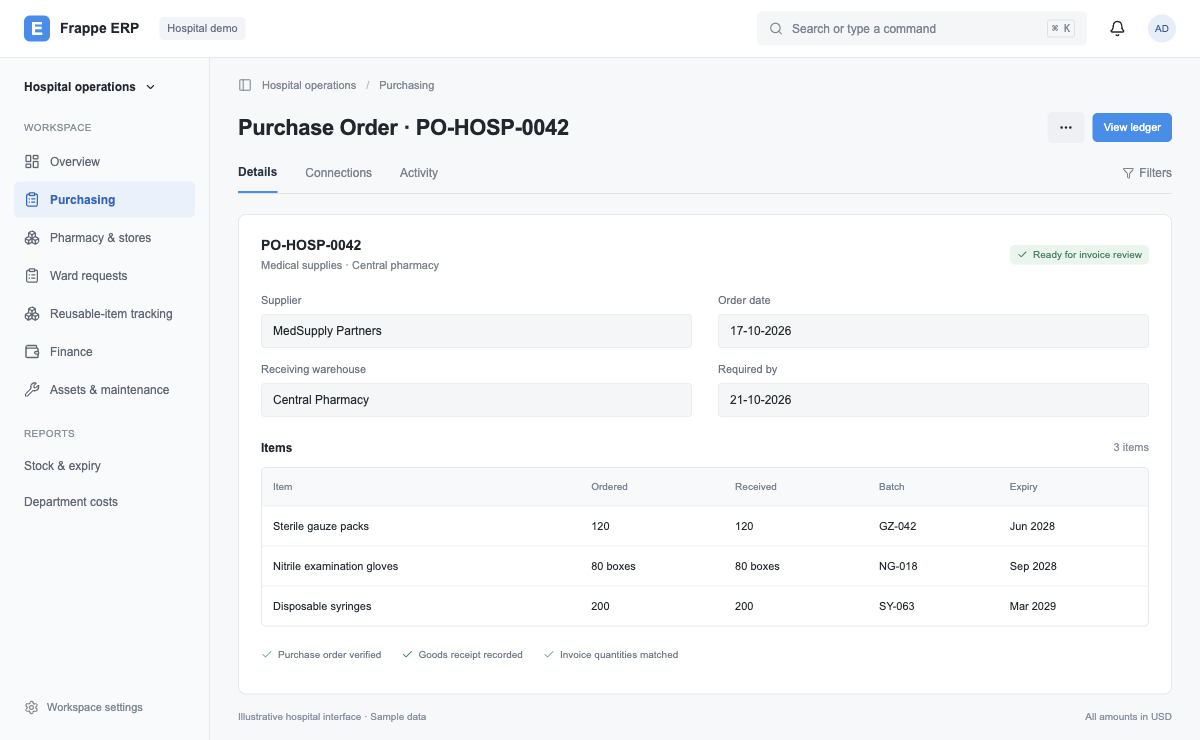
Procurement
Reorder requests, approved purchases and matched supplier bills.
PurchasePharmacy & stores
Stock by location, with batch, expiry and MRP at every receipt.
Pharmacy & general storeWards & patient billing
Connect ward requests and actual consumption to patient charges.
Nursing & billingFinance
Supplier dues, patient receipts and department costs in one ledger.
AccountsHospital assets
Track equipment, custodians, maintenance and depreciation.
IT & biomedicalOperational visibility
See pending requests, short-dated stock and financial exceptions.
ManagementBased on workflows implemented for a multi-facility healthcare provider. We configure the controls and integrations around your hospital.
From a low-stock alert
to a reconciled payment.
One connected trail, from the pharmacy shelf to the bank statement.
- 01System / stores
Request supplies
Low-stock alert or a manual department request.
- 02Purchase
Approve & order
Approve the spend. Order at agreed supplier rates.
- 03Pharmacy / stores
Receive goods
Verify quantities, batch, expiry, MRP and purchase rate.
- 04Accounts
Match the invoice
Compare the purchase order, goods receipt and invoice.
- 05Accounts
Pay the supplier
Release payment and update the supplier ledger.
- 06Finance
Reconcile
Match the bank entry. Review any exceptions.
Follow every issue.
Account for every charge.
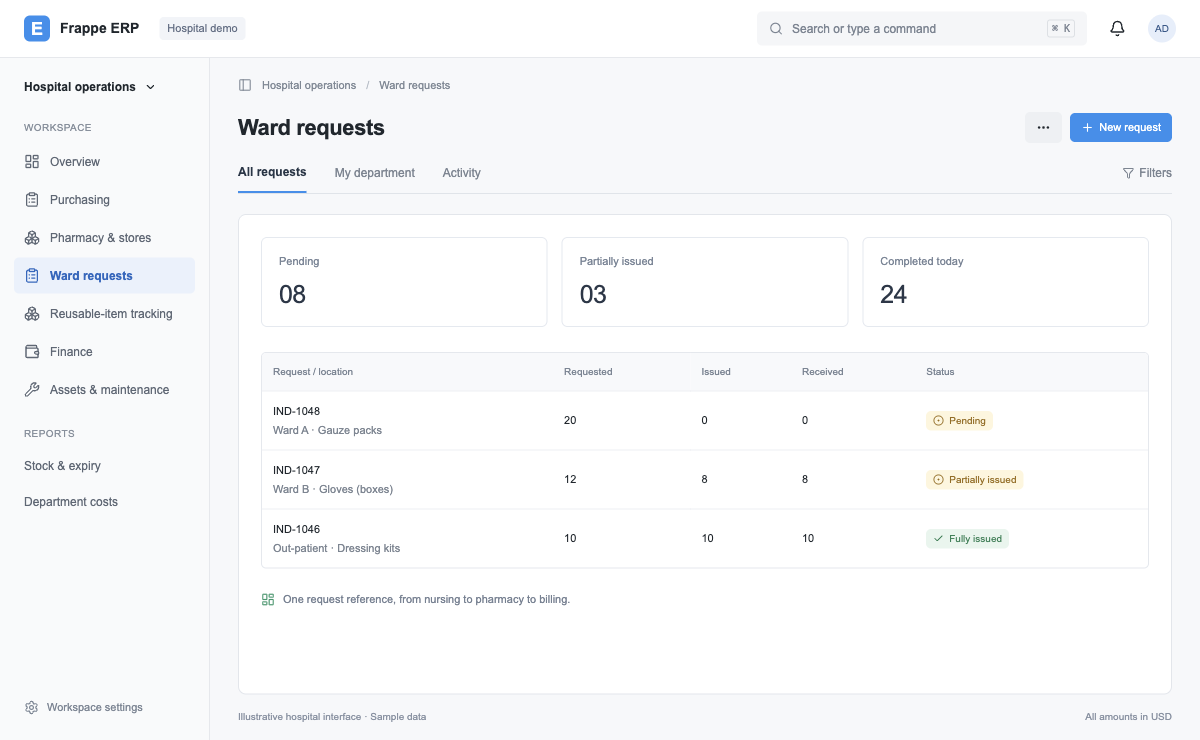
Connect what the ward requests, what it receives and what the patient uses.
- 01Nursing / ward
Raise a request
Track in-patient and out-patient requests separately.
- 02Pharmacy / stores
Issue supplies
Check availability. Record the batch and expiry on issue.
- 03Nursing / ward
Confirm receipt
Confirm what arrived against what pharmacy issued.
- 04Nursing / billing
Capture use
Record patient consumption for charge capture.
- 05Accounts
Create the bill
Carry batch-wise rates into the patient invoice.
- 06Accounts
Collect payment
Post patient or payer receipts to the ledger.
A request can be fulfilled by a warehouse transfer or a purchase, with the same request reference.
Bought once.
Accounted for, use by use.
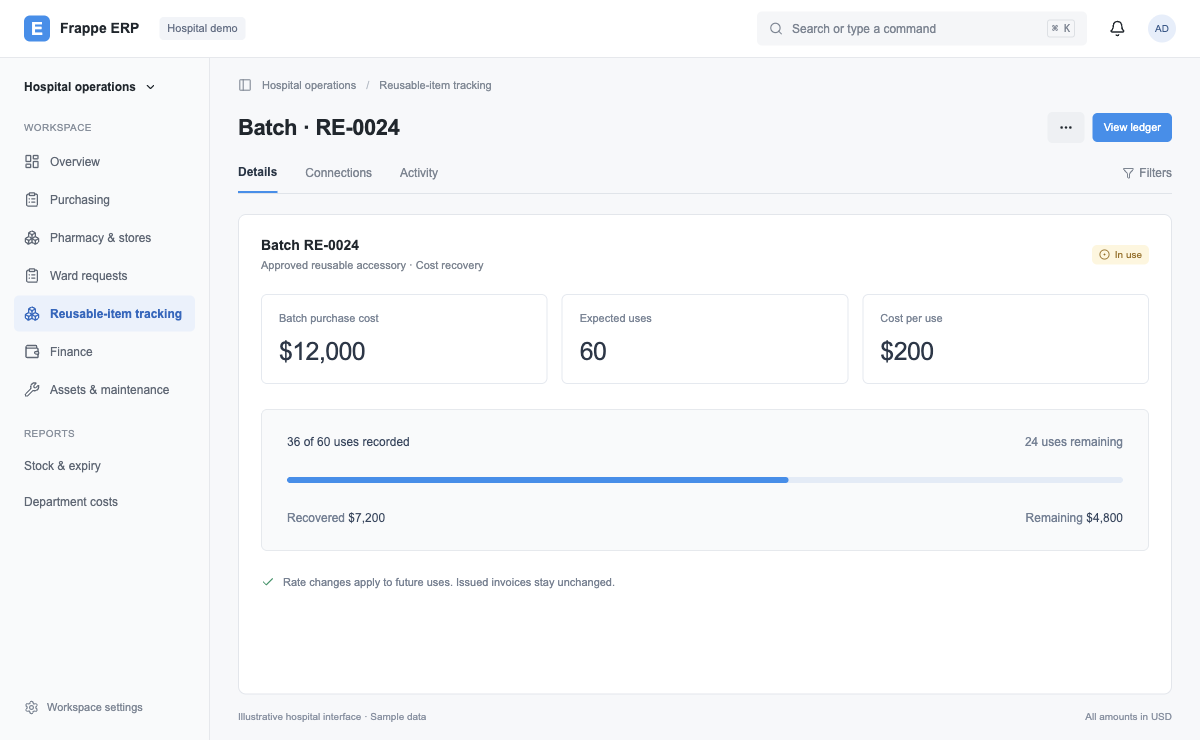
Track the cost of approved reusable items across patients with a batch-level usage pool, configured for your operating model.
- 01Stores
Receive a batch
Capture the actual purchase cost.
- 02System
Create a usage pool
Quantity × expected uses.
- 03Nursing / billing
Record each use
Draw one use from the batch pool.
- 04Accounts
Bill the patient
Apply the agreed cost per use.
Assets & maintenance
Know where it is.
Know what’s due.
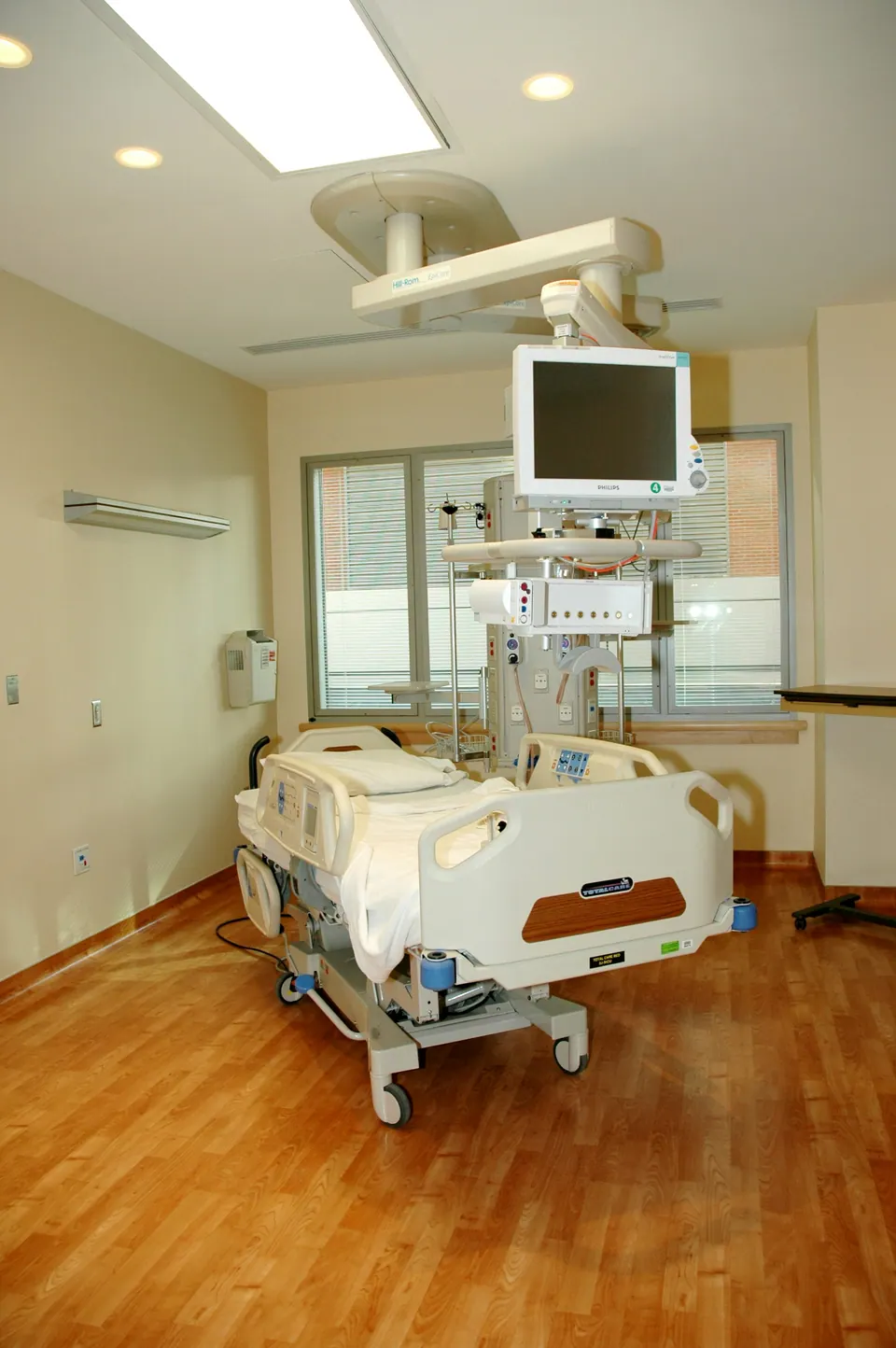
Keep biomedical equipment, IT devices and facility assets connected to the purchase that brought them in.
Receive & capitalise
Create the asset from the goods receipt.
Assign & track
Record its custodian, department, location and movements.
Maintain & value
Track warranty, AMC, preventive maintenance and depreciation.
Retire & reconcile
Record sale, scrap or write-off to keep the register current.
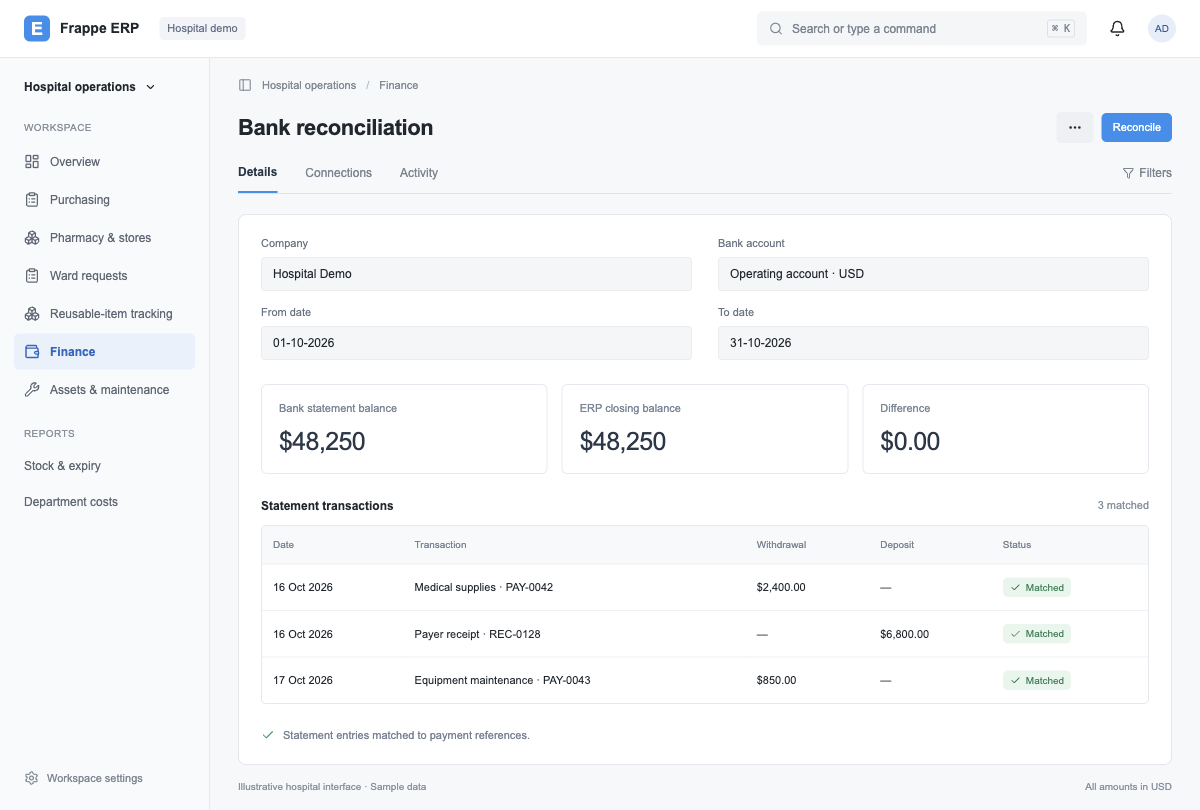
Finance & bank reconciliation
A clearer close.
A complete financial trail.
Follow supplier dues, patient and payer balances, and department costs back to the transactions behind them.
- 01Accounts
Import statement
Bring bank transactions into the ERP.
- 02System
Match entries
Compare dates, amounts and references.
- 03Accounts
Review exceptions
Resolve unmatched or differing entries.
- 04Finance
Reconcile balance
Confirm the books and bank agree.
Dashboards built around your hospital
The right view.
For every team.
Purpose-built views inside Frappe ERP turn everyday transactions into answers. Wards see their requests, pharmacy sees its queue, and management sees the wider picture.
Request status
Pending, partial, completed and cancelled indents across wards, pharmacy and stores.
Who is waiting for what?Item-level traceability
Requested, issued and received quantities, with batch, rate, locations and staff references.
What moved, and who received it?Stock & expiry
Batch stock across warehouses and expiry ageing for short-dated inventory.
What needs attention before it expires?Finance & ageing
Outstanding balances and reconciliation status, linked to the source documents.
What is owed, and what is still open?