
Operations
US Payroll with ERPNext: Gusto, ADP, and the GL Journal Pattern
At a glance
ERPNext and Frappe HR do not calculate or file US payroll taxes, and that is by design rather than a gap to engineer around. The working architecture keeps a specialist provider like Gusto or ADP calculating and filing taxes while your ERPNext general ledger receives each pay run as a cost-centered journal entry. This post lays out that GL journal pattern in full, ranks the real integration options for both providers, and shows how to get labor cost by department without your ERP ever touching a tax table.
Does ERPNext handle US payroll taxes?
No — ERPNext and Frappe HR do not ship US federal and state payroll tax tables, and they do not file 941s, W-2s, or state withholding returns. US payroll tax calculation and filing should stay with a provider like Gusto or ADP. ERPNext's role is workforce records, cost allocation, and the general ledger those payrolls post into.
Why this is the right design, not a gap to engineer around
US payroll tax is a moving target across federal, 50 states, and thousands of localities — tables change constantly, and the liability for filing errors is real money plus penalties. Providers like Gusto exist precisely to own that: calculation, remittance, filing, year-end forms, and the liability posture that comes with doing it at scale. This is why even NetSuite shops — running an ERP that costs twenty times as much — very often still keep ADP for payroll. The pattern below isn't an ERPNext workaround; it's the standard ERP payroll architecture, and wanting your ERP to be your tax filer is the anti-pattern.
The architecture: three systems, one clean boundary
To keep this concrete, consider a 60-person machine shop in Ohio — a composite example for illustration, not a client — with a machining floor, an assembly team, a front office, and people paid biweekly through a payroll provider. Three systems, each doing one job:
Frappe HR: the workforce system of record
Frappe HR (the open-source HR app that pairs with ERPNext) holds the people layer: the Employee DocType, departments, cost centers, attendance and leave, expense claims, onboarding and exits. For our Ohio shop, that's where "Maria is in Assembly, started in March, has 40 hours of PTO left" lives. What Frappe HR is not doing in this architecture: US gross-to-net. No withholding math, no FICA calculation — that's the next box's job.
Gusto or ADP: the tax engine of record
The provider calculates gross-to-net for every employee, withholds and remits taxes, files the returns (941s, state withholding, unemployment), and issues W-2s. When Ohio changes a withholding table, that's the provider's problem, invisibly solved. This is the system your compliance depends on, and it's the one you should be paying a specialist for.
ERPNext GL: the financial system of record
Every pay run lands in ERPNext as a Journal Entry carrying cost centers — so the machining floor's labor hits the machining cost center, assembly hits assembly, and the P&L shows true labor cost by department and project. Our Ohio shop's owner can finally answer "what does assembly labor actually cost us per month?" from a report instead of a payroll PDF and a calculator.
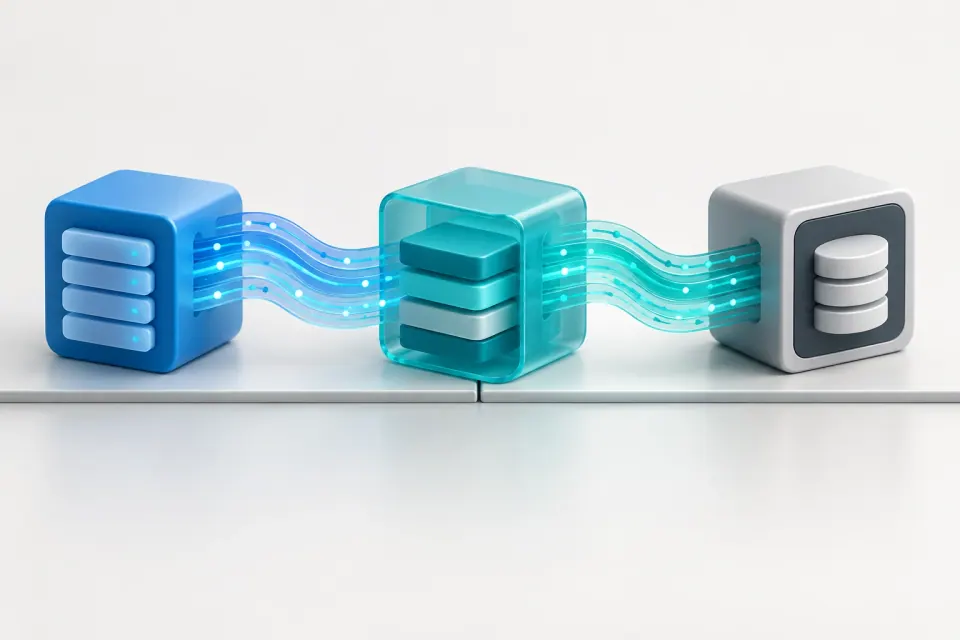
One boundary, cleanly drawn: people data flows into the provider, money data flows back as journals, and tax filings never touch your ERP.
The GL journal pattern (the technical core)
Anatomy of a payroll journal
Each pay run becomes one Journal Entry with this structure — which mirrors how Gusto itself documents payroll journals for its accounting syncs (debits for wages, employer taxes, and withheld amounts per department; credits for net checks and a payroll clearing account):
Debits (the costs, split by cost center):
Credits (where the money goes):
The clearing accounts then reconcile against the actual bank debits when the provider pulls the funds.
- Gross wages — per department/cost center
- Employer payroll taxes (FICA match, FUTA, SUTA) — per cost center
- Employer benefit contributions (health, 401(k) match) — per cost center
- Net pay clearing account (or bank) — the net checks
- Payroll tax liabilities — amounts withheld and owed
- Benefit and garnishment withholdings — owed to carriers and third parties
The mapping decision that makes or breaks reporting
One decision determines whether this pattern gives you department-level insight or an undifferentiated wage blob: mapping provider departments to ERPNext Cost Centers. Gusto and ADP both let you tag employees with departments or locations; ERPNext's cost center tree is where financial reporting slices. Make them correspond one-to-one before the first journal is posted — if the provider says "Shop Floor" and ERPNext says "Machining" and "Assembly," decide the granularity now, in both systems, or your P&L by department will never be trustworthy.
Accrual timing
Two defensible conventions: post on pay date (simplest — journal hits the GL when the provider runs payroll) or add a period-end accrual for wages earned but unpaid at month close, reversed in the new period. Most $2–20M businesses start with pay-date posting and add accruals when their close discipline demands it. Either way, reconcile the clearing account against the bank debit every cycle — that reconciliation is what catches the missed journal, the off-cycle run, the bonus nobody mentioned.
An honest manufacturing caveat
If you run ERPNext manufacturing: job/WIP labor absorption uses configured workstation rates, not payroll actuals. Work orders absorb labor at the hourly rates you set on workstations; the payroll journals in this pattern hit P&L overhead and direct-labor accounts. Those two views reconcile analytically, not automatically — don't let anyone promise you actual-cost job labor from this integration, because that's not what it does.
Gusto with ERPNext — what's real today
The facts, verified as of October 2026:
So the integration options, honestly ranked by build effort:
1. Manual journal from Gusto's payroll journal report. Zero build. Each pay run, open Gusto's journal report and key one Journal Entry in ERPNext — about 15 minutes per run once the account/cost-center mapping is settled. Unglamorous, utterly reliable, and the right starting point for most companies.
2. CSV → ERPNext Data Import. Low build. Export from Gusto, run it through a mapping spreadsheet shaped to ERPNext's Journal Entry import format, and import. Worth it when entry count per run makes hand-keying error-prone.
3. A scheduled Frappe custom app pulling the Gusto API and auto-drafting Journal Entries for review. This is scoped custom work — it needs Gusto developer-program access, OAuth plumbing, and maintenance across versions. ERPNova scopes this per client when pay-run frequency and volume justify it; for many businesses, option 1 or 2 honestly remains the better value.
No product announcement hiding in that list: the pattern is the offer, and the build tiers are scoped per client.
- Gusto has a real developer API program: payroll data — pay runs, employees, journal-relevant totals — is retrievable via REST with OAuth. API access requires registering with Gusto's developer program, and the deeper Gusto Embedded product requires partnership pre-approval.
- Gusto ships native accounting syncs for QuickBooks Online and Xero — not for ERPNext. No official Gusto–ERPNext connector exists.
ADP with ERPNext — what's real today
ADP's equivalent story, verified:
The practical ADP pattern: configure GLI with department and code mappings aligned to your ERPNext chart of accounts and cost centers → export the GLI journal file each run → Data Import into ERPNext as a Journal Entry. The API route exists but is enterprise-weight; for most ADP RUN customers, GLI-plus-import is the right answer.
- ADP's General Ledger Interface (GLI) produces journal-entry export files with mapped departments and earning/deduction codes, and it's included across ADP RUN packages — though the mapping setup is on you, the customer.
- ADP's developer platform exposes HCM APIs (Workforce Now worker and payroll APIs among them) via ADP Marketplace, but API integrations generally require an ADP Marketplace partnership or an API Central subscription — a heavier lift than Gusto's developer program for a small business. No official ADP–ERPNext connector exists.
Gusto vs ADP for ERPNext fit
On API accessibility: Gusto offers a developer program with REST plus OAuth, reachable for SMB-scale custom work; ADP requires a Marketplace partnership or API Central, which is enterprise-weight.
On export quality for GL import: Gusto provides a payroll journal report with departmental breakdown; ADP's GLI offers purpose-built journal exports with code mapping.
On typical company size: Gusto suits SMB up to a few hundred employees; ADP spans SMB (RUN) through enterprise (Workforce Now).
On the ERPNext pattern: with Gusto it is manual journal → CSV import → scoped API app; with ADP it is GLI export → Data Import, with the API only at enterprise scale.
How do I get payroll costs by department in ERPNext?
Map each payroll provider department or location to an ERPNext Cost Center, then post every pay run as a Journal Entry carrying those cost centers on the wage and employer-tax lines. Profit and Loss and budget reports then show true labor cost by department without ERPNext running payroll itself.
Should I use Frappe HR if payroll stays in Gusto or ADP?
Yes, for everything except gross-to-net: employee records, org structure, leave and attendance, expense claims, and onboarding live naturally in Frappe HR beside ERPNext. Keep the provider as the payroll and tax system of record, and treat employee data sync between the two as a deliberate, scoped decision — not an automatic assumption.
That last clause matters. Both systems hold employee records; whether they sync automatically, sync on a schedule, or are simply maintained in both places with the provider as master for pay data is a design decision with real trade-offs — never assume "they'll just sync." For what Frappe HR itself does well (and its v16 improvements), see our ERPNext HR and payroll overview — this post is its US-integration-pattern sibling.
What ERPNova sets up, and how to start
In a US implementation (here's how the whole 6–8 week process runs), the payroll workstream deliverables are concrete: a payroll section in your chart of accounts (wage, employer-tax, and benefit expense accounts; clearing and liability accounts), a cost center tree matched to your provider's departments, a reusable journal template for your pay cycle, and either a documented import recipe (Gusto report or ADP GLI → ERPNext) or, where volume justifies it, a scoped API integration. It's part of the broader accounting setup and the labor-visibility reporting CFOs actually use; packages are on the pricing page.
The fastest way to see the pattern applied to your reality: bring your current payroll journal — the actual report from Gusto or ADP — to ERPNova's Free Expert Audit, and we'll map it live: accounts, cost centers, clearing structure, and which integration tier your volume justifies. Free, specific, and you keep the mapping either way.